Posts
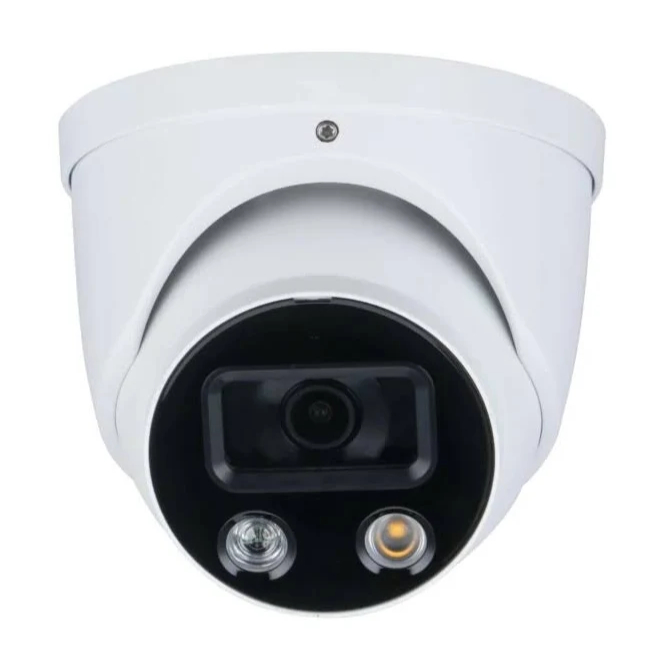
Updating OEM Dahua NVR and IP Cameras and removing region lock via firmware update
You can remove the generic vendor’s region lock and update the firmware on OEM Dahua IP cameras via the generic General firmware. Removing the region lock with generic firmware also allows loading of Dahua branded firmware onto a white labeled model.

Mountains Majesty: On the Summit with John Fielder exhibit at History Colorado Center in Denver, Colorado
My Colorado 3D Topographic Maps are used as supporting locator maps at the Mountains Majesty: On the Summit with John Fielder exhibit at the History Colorado Center in Denver, Colorado.
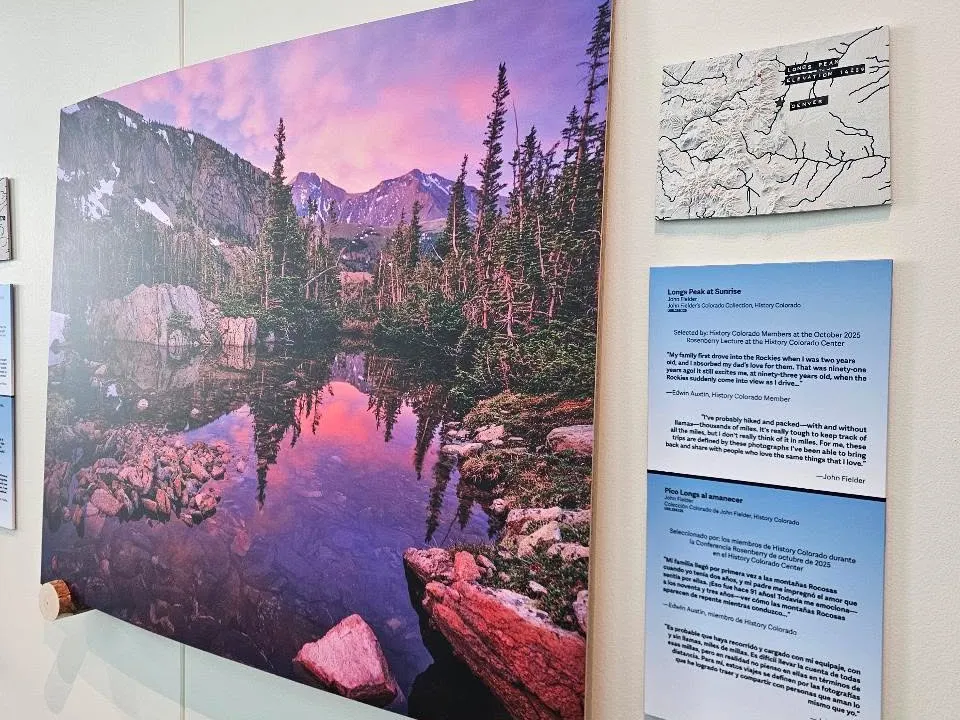
These maps were printed in multiple colors presenting a light base map and dark rivers. Labels were placed on the map depicting the locations of John Fielder’s nature photos so that viewers can spatially visualize where the mountains are in the state.
The exhibit will be shown from JAN 24, 2026 - JAN 10, 2027
3D Maps and Models available on Printables and not on MakerWorld
My maps and models continue to be available Printables. You will find my latest uploads and updates on Printables but not on MakerWorld.

The 3D map of China got reported on MakerWorld so the account got banned and models delisted. You will find my models previously available on MakerWorld on Printables instead.
3D Map Feature Modifier (MFM) Post Processor
Add elevation contour lines and color changes to your 3D printed maps with the free Map Feature Modifier app!
I have posted a tutorial video that you can watch to see what is possible with the Map Feature Modifier!
Adaptive Start G-code for Dual Extruder Printers with Cura
Choosing a reliable start G-code that primes a dual extruder printer is difficult. This post explains the different extruder prime techniques and how my adaptive priming start G-code for Cura incorporates these techniques for dual nozzle printers.