I recently got a set of 10 Dahua IP eyeball cameras and 16 port PoE NVR.
The camera and NVR are actually white branded Dahua which is an OEM brand for other vendors selling IP cams and NVRs. The previous owner got these before Dahua was banned from the USA and transitioned the USA side of the business to Lorex/Skywatch based in Taiwan.
NVR
My NVR model:
16 Channel 1U 2HDDs 16PoE Network Video Recorder
16CH 2HDD 1U NETWORK VIDEO RECORDER

White label version
Model:DNVR4KL1602-16P2

Dahua version
Model: DHI-NVR4216-16P-4KS2L <- L suffix indicates a revised model

Latest firmware: General_NVR4x-4KS2L_MultiLang_V4.003.0000000.1.R.240515.bin
NVR reset
The NVR was initially locked with the previous owner’s password so I opened up the case and pressed the reset button on the motherboard while power cycling it. I held the reset button down until a beep played about 30 seconds after turning it on. The NVR rebooted and I was able to set it up like new.
The white branded NVR I have has buttons on the front like a 6 disc DVD or CD player but the buttons don’t seem to do anything when pressed.
The existing NVR software seemed to not be able to playback recorded footage which you can only access through the web UI.
NVR firmware update
After some trial and error I found the latest firmware to be General_NVR4x-4KS2L_MultiLang_V4.003.0000000.1.R.240515.bin which you can find online. This is the generic version of the firmware without Dahua branding in the web interface.
This newer firmware built in 2024 has fixed the playback issue from earlier so recording footage can be viewed in the web UI.
You can turn off P2P which is unnecessary for the function of the NVR and IP cams.
I believe that the previous owner got the white branded NVR from Premium Security Solutions (PSS). The folks at PSS were nice enough to send me a copy of the latest firmware mentioned above.
IP camera
My IP camera model:
8MP WDR Eyeball Network CAMERA

White label version
Model:DNC8TDAI3in1-FC-AD

Dahua version
Name: WizSense 3 Series (Lite AI) HX38XX chip (dalton)
Model: IPC-HDW3841EM-AS, IPC-HDW3841EM-S ??

Latest firmwares:
General_IPC-HX3XXX-Dalton_MultiLang_PN_Stream3_V2.820.0000000.32.R.250110.bin
DH_IPC-HX3XXX-Dalton_MultiLang_PN_Stream3_V2.820.0000000.32.R.250110.bin
IP camera reset
After the NVR was reset, the IP cameras were still locked with the previous password and there isn’t a supported way to reset them remotely. The cameras I had look like the one below:
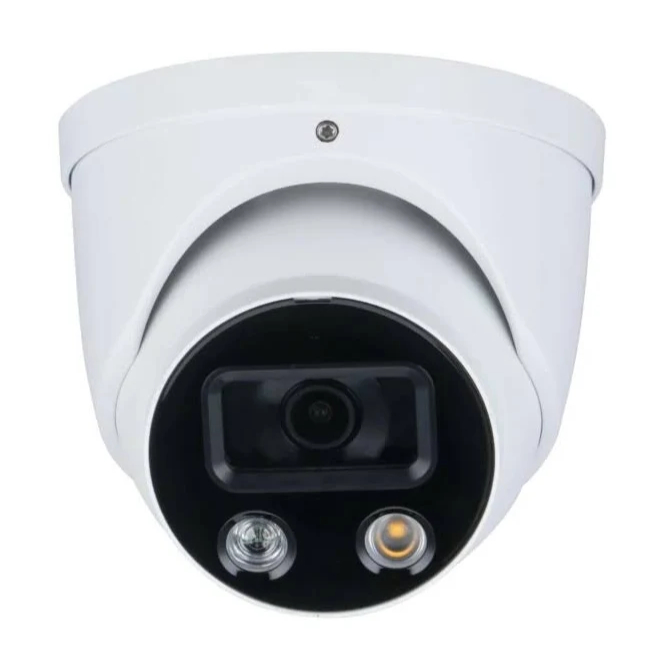
On the 6 oclock position of the camera, there are 2 screws holding an access cover that you can remove to expose a reset button. Hold the reset button for 30 seconds to factory reset the camera.
If you cannot remove the camera from the mount due to a seized T10 torx set screw as several of mine were, you can either:
- Manhandle the camera orientation to expose the bottom access hatch
- Drill out the torx screw, thread the hole with a M5 (5mm) thread, and replace with a 5mm long M5 set screw
I tried both and option 1 is much better.
Once the camera has rebooted which will happen automatically after the reset, you will see it show up in the NVR camera menu. You can either set the new credentials with the NVR or set them through the IP cam web UI by navigating to the IP camera’s IP address. You need to toggle Bridge mode in the NVR settings to expose the PoE ports to your main network that the NVR is attached to.
IP camera firmware update
Typing the camera model and serial number into the Dahua website showed a “not found” error so I tried looking around the Dahua website for similar products.
There is a similar product line listed which has a Taurus generation new firmware listed. However the cameras that I got were actually an older Dalton generation that looks identical but are not listed on the main website.
If you upload the wrong firmware to the camera, the camera will reboot after a few minutes and no change will occur.
The latest firmwares for Dalton cameras are General_IPC-HX3XXX-Dalton_MultiLang_PN_Stream3_V2.820.0000000.32.R.250110.bin and DH_IPC-HX3XXX-Dalton_MultiLang_PN_Stream3_V2.820.0000000.32.R.250110.bin for the Generic and Dahua branded web UI respectively.
You need to update with the Generic General firmware first to remove the region lock. Then you can update with the Dahua branded DH firmware.
Generic vs Dahua firmware differences
The difference in Generic and Dahua firmware from a user perspective is branding and update servers. The web UI will say “IP CAM” vs “Dahua” with different logos.
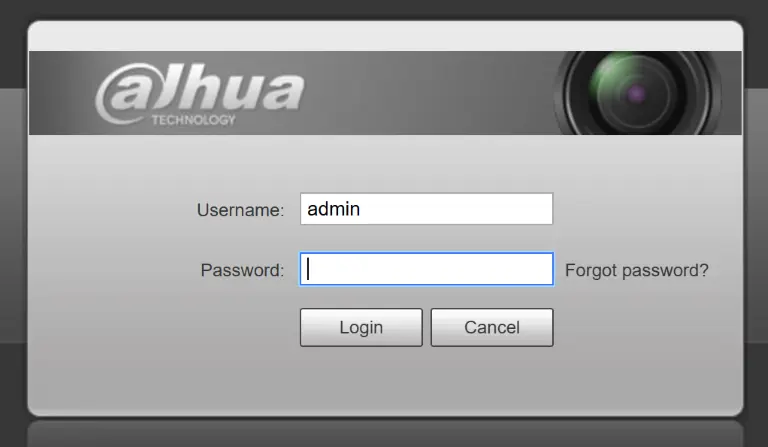
The Generic firmwares that I installed always say the latest version is installed. Even downgrading to older Generic firmware versions says that the latest version is installed so it’s not clear if the checked update server is invalid or unreachable.

The Dahua version can successfully check for updates.
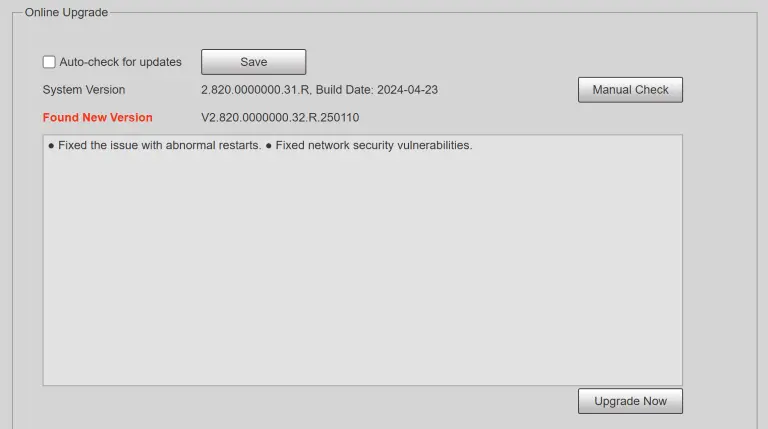
The generic firmware that I had on the NVR said a similar “no updates found” and I didn’t try loading Dahua branded firmware onto the NVR. I assume the same update behavior happens.
Finding the firmware
In addition to Dahua and reseller websites, I used the directory listings at https://files.dahuatech.support/ and https://files.dahua.support/ to find the latest firmwares.